
Best overall: Housecall Pro. Best for multi-van locksmith companies: ServiceTitan. Best budget-friendly full CRM: Service Fusion. Six field service platforms are compared below for locksmith businesses that need to book emergency calls, dispatch techs fast, and know which marketing channel actually pays for itself in 2026.
- Housecall Pro is the best crm software for locksmith businesses that live on emergency lockout calls.
- ServiceTitan wins for locksmith companies running four or more vans and needing enterprise dispatch.
- Service Fusion is the budget-friendly pick that bundles CRM and dispatch in one platform.
- Kickserv stands out for tracking which marketing channel actually books the job.
- Jobber fits solo and two-tech locksmith shops that want simple mobile quoting.
Why this matters
A locksmith business doesn't lose jobs because the phone doesn't ring. It loses jobs because the call comes in at 11 p.m., nobody answers fast enough, and the lead goes to the next listing on Google. The right CRM closes that gap by routing the call, booking the job, and dispatching the nearest tech before the customer hangs up and dials a competitor.
Click Smith Pro works with locksmith businesses across the USA on the marketing side of this problem — Google Business Profile, PPC, and local SEO that generate the calls in the first place. The CRM is what happens after the phone rings, and in 2026 the two systems have to talk to each other or the marketing spend gets wasted on leads nobody books.
What makes the best CRM for locksmiths
- Mobile dispatch and GPS tracking so emergency lockout jobs route to the nearest available van
- Online booking synced to your Google Business Profile and website to capture after-hours calls automatically
- Built-in invoicing and field payment processing so techs collect payment before leaving the job site
- Lead source tracking that shows which marketing channel actually booked the job, not just which one rang the phone
- Multi-technician scheduling that scales cleanly as the business adds vans and staff
- Accounting integration (QuickBooks or similar) for job costing without double data entry
At a glance
| CRM | Best for | Standout feature | Key limitation |
|---|---|---|---|
| Housecall Pro | Emergency dispatch & booking | Online booking synced to Google Business Profile calls | Reporting is thinner than enterprise platforms |
| ServiceTitan | Multi-van locksmith companies | Enterprise-grade dispatch and reporting | Steep setup and onboarding for small shops |
| Jobber | Solo & two-tech shops | Simple mobile quoting and invoicing | Dispatch tools stay basic as fleets grow |
| Kickserv | Lead source tracking | Built-in lead-to-invoice pipeline | Interface feels dated next to newer tools |
| Service Fusion | Budget-conscious growth | Full CRM plus dispatch in one bundle | Mobile app lags behind top competitors |
| mHelpDesk | All-in-one mobile field app | Scheduling, invoicing, payments in one app | Fewer built-in marketing integrations |
1. Housecall Pro: best locksmith CRM for emergency dispatch and booking
Housecall Pro is field service software built for home service trades, and locksmith businesses use it to turn an incoming call into a booked, dispatched, invoiced job without leaving the app. Online booking connects to the business's website and can capture jobs after hours when nobody is at a desk to answer.
Housecall Pro pros:
- Online booking widget captures after-hours emergency lockout requests
- GPS dispatch routes the job to the nearest tech automatically
- Mobile invoicing and payment collection on-site
Housecall Pro cons:
- Advanced reporting is lighter than what larger multi-location operators need
- Some marketing-attribution features require add-on tools
Best for: locksmith businesses of any size that need booking and dispatch to work together out of the box. Verdict: Buy.
2. ServiceTitan: best CRM for multi-van locksmith companies
ServiceTitan is an enterprise field service platform used across HVAC, plumbing, electrical, and locksmith trades that run multiple crews at once. It's built for dispatch complexity — call center-style intake, technician tracking, and detailed job-level reporting across a fleet.
ServiceTitan pros:
- Handles dispatch across large, multi-technician fleets without slowing down
- Deep reporting on job profitability by technician and van
- Built for call-heavy operations with dedicated intake staff
ServiceTitan cons:
- Onboarding and setup take real time, which is overkill for a one- or two-van shop
- More platform than a solo locksmith business needs
Best for: locksmith companies running four or more vans with dedicated dispatch staff. Verdict: Buy for scale, Skip for solo operators.
3. Jobber: best CRM for solo and two-tech locksmith shops
Jobber is service business software aimed at small trade operations that need quoting, scheduling, and invoicing without the complexity of an enterprise platform. A solo locksmith or a two-person shop can run the entire client relationship from the mobile app.
Jobber pros:
- Mobile app makes quoting and invoicing fast from the truck
- Simple client history and job notes in one place
- Lower learning curve than the bigger platforms on this list
Jobber cons:
- Dispatch tools stay basic once a business adds a third or fourth van
- Marketing-channel attribution isn't a core strength
Best for: solo locksmiths and two-person shops that want simple, not powerful. Verdict: Buy for small shops, Hold once you're past two vans.
4. Kickserv: best CRM for tracking locksmith lead sources
Kickserv builds its workflow around the full lead-to-invoice pipeline, which makes it useful for a locksmith business trying to answer a simple question: which marketing channel is actually producing booked jobs, not just phone calls. That distinction matters when a business is running Google Business Profile, PPC, and organic search at the same time.
Kickserv pros:
- Tracks a lead from first contact through to paid invoice
- Useful for tying job revenue back to a specific marketing source
- Reasonable fit for small-to-mid size locksmith operations
Kickserv cons:
- Interface feels older next to Housecall Pro or ServiceTitan
- Mobile experience isn't as polished as newer competitors
Best for: locksmith businesses running multiple marketing channels that need to see which one actually pays off. Verdict: Buy for attribution, Hold for pure dispatch needs.
5. Service Fusion: best budget-friendly CRM for growing locksmith businesses
Service Fusion bundles CRM, dispatch, and GPS tracking into one platform aimed at trade businesses that want most of the enterprise feature set without an enterprise-size operation. It's a reasonable middle ground between a bare-bones app and a ServiceTitan-level buildout.
Service Fusion pros:
- Combines CRM and dispatch instead of forcing separate tools
- GPS fleet tracking included without heavy add-ons
- Scales reasonably as a locksmith business adds a third or fourth van
Service Fusion cons:
- Mobile app doesn't match the polish of Housecall Pro's
- Fewer third-party integrations than the bigger platforms
Best for: locksmith businesses that outgrew a basic scheduling app but aren't ready for ServiceTitan's price tier. Verdict: Buy.
6. mHelpDesk: best all-in-one mobile app for solo locksmiths
mHelpDesk is a mobile-first field service tool that keeps scheduling, invoicing, and payment collection inside a single app, which suits a solo locksmith who wants one login instead of three connected tools.
mHelpDesk pros:
- Scheduling, invoicing, and payments live in one mobile app
- Straightforward setup for a single-operator business
- Works well for techs who are in the truck more than at a desk
mHelpDesk cons:
- Fewer marketing and lead-source integrations than Kickserv or Housecall Pro
- Not built for multi-technician dispatch at scale
Best for: a one-person locksmith operation that wants everything in a single app. Verdict: Buy for solo operators, Skip for growing fleets.
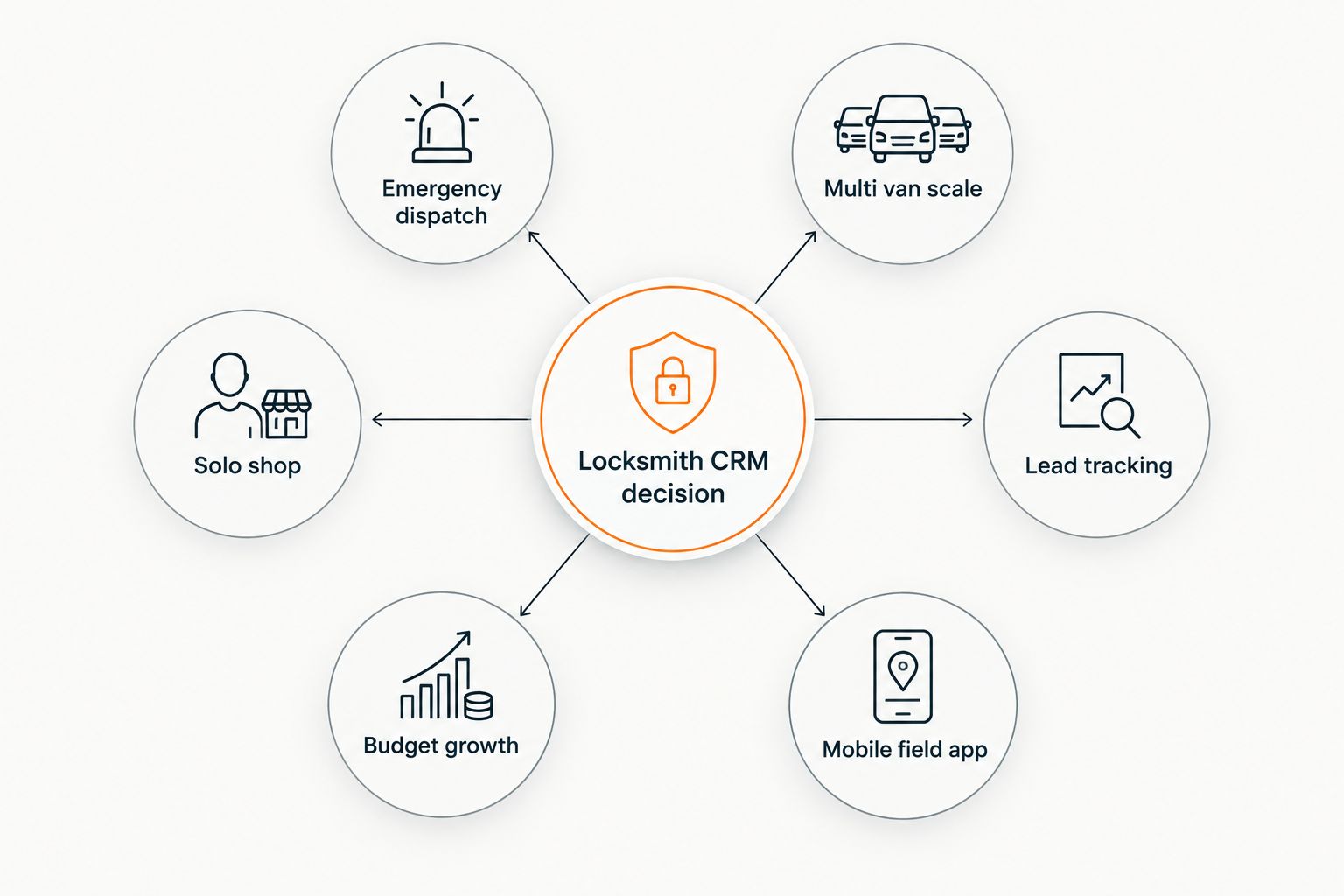
How we ranked
The order above weighs dispatch speed and booking capture heaviest, because a locksmith business lives or dies on same-day emergency calls, not back-office reporting. A platform that misses an after-hours booking loses the job regardless of how good its invoicing looks. Lead-source attribution came next, since a locksmith business running PPC and Google Business Profile at once in 2026 needs to know which channel is actually converting.
Get more calls to feed your CRM
SEO, PPC, and GBP management built for locksmith businesses.
Which CRM should you choose?
If you're unsure where to start, Housecall Pro is the default pick for most locksmith businesses in 2026 — it covers booking, dispatch, and invoicing without the setup overhead of ServiceTitan. Move to ServiceTitan once you're running four-plus vans with a dedicated dispatcher, and stick with Jobber or mHelpDesk if you're a one- or two-person operation that just needs the basics done well.
FAQ
What is the best CRM software for locksmith businesses in 2026?
Housecall Pro is the best overall crm software for locksmith businesses in 2026 because it combines online booking, GPS dispatch, and mobile invoicing in one platform. ServiceTitan and Service Fusion cover larger fleets and budget-conscious growth respectively.
Is ServiceTitan worth it for a locksmith business?
ServiceTitan is worth it once a locksmith company runs four or more vans with dedicated dispatch staff. For a solo or two-tech operation, the setup and onboarding time outweighs the benefit.
What features does a locksmith CRM actually need?
A locksmith CRM needs mobile dispatch with GPS routing, online booking that captures after-hours emergency calls, field invoicing, and lead-source tracking. Multi-technician scheduling matters once the business adds a second or third van.
How much does locksmith CRM software cost?
Pricing varies by fleet size, feature set, and number of users, so it’s worth checking current plans directly with each vendor before committing. Costs generally scale with the number of technicians and vans on the platform.
Can a solo locksmith use Jobber instead of ServiceTitan?
Yes, Jobber fits a solo or two-person locksmith shop well because it keeps quoting, scheduling, and invoicing simple in one mobile app. ServiceTitan is built for multi-van dispatch complexity a solo operator doesn’t need.
Does CRM software help with locksmith SEO and Google Business Profile rankings?
CRM software itself doesn’t affect rankings, but a CRM with online booking synced to your Google Business Profile helps convert the calls that SEO and local search generate. The two systems need to work together to turn visibility into booked jobs.
What’s the difference between Housecall Pro and Service Fusion for locksmiths?
Housecall Pro has a more polished mobile app and online booking widget, while Service Fusion bundles CRM and dispatch at a lower feature tier that suits growing but budget-conscious locksmith businesses. Both cover the core dispatch and invoicing needs.
How do I track which marketing channel generates my locksmith leads?
Kickserv is built around lead-to-invoice tracking, which makes it the strongest pick on this list for tying booked jobs back to a specific marketing channel. Pairing any CRM with call tracking on your Google Business Profile and PPC campaigns sharpens that data further.
One last thing
The CRM you pick in 2026 only matters if the calls reaching it are qualified in the first place — a locksmith business with a broken Google Business Profile or no call tracking will misattribute half its booked jobs no matter which platform it runs. Fix the lead source data before switching CRMs; the software swap won't fix a tracking problem underneath it.